To change your Melbet password, log in, open Account Settings → Security, enter your current password and set a new one. If you have forgotten it, use the “Forgot password?” link on the login screen and reset it through the email or phone number linked to your account.
Below is the full independent guide, written for players in Zambia and Pakistan who want to keep their accounts safe. If a link is not opening in your region, use the working mirror below.
Changing a password you still remember
Updating your password regularly is one of the simplest ways to protect your balance. You will need to be logged in first.
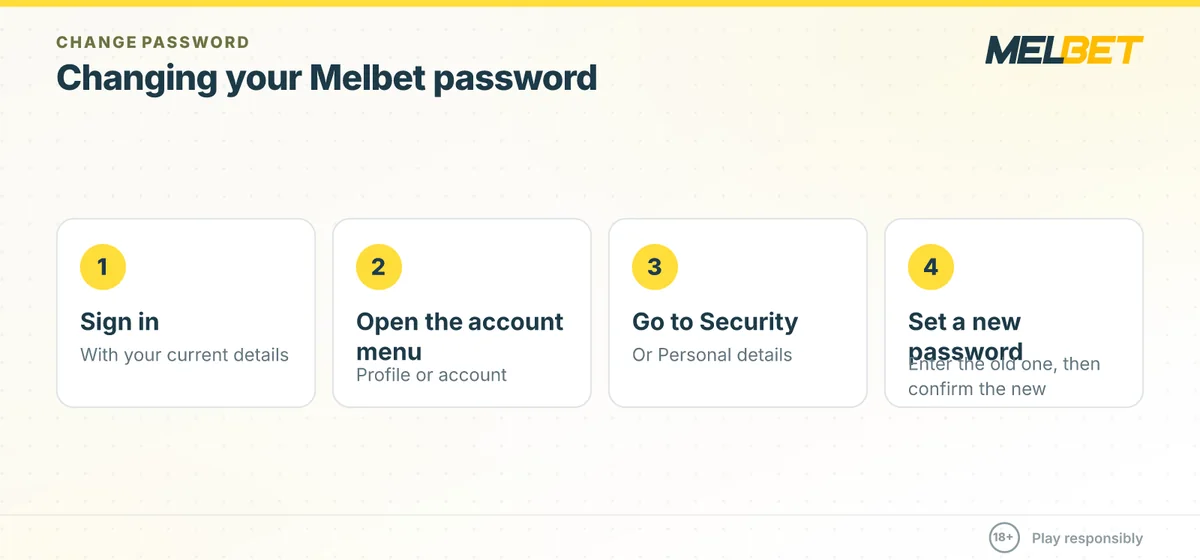
- Sign in with your current details.
- Open the profile or account menu.
- Go to the Security or Personal details section.
- Enter your old password, then type and confirm a new one.
Ready to sign in and update your details? Register on Melbet
Recovering a forgotten password
If you cannot log in at all, do not create a second account — duplicate accounts are usually blocked. Instead, use the recovery flow tied to the contact details you registered with.
What you will need
- Access to the email address or mobile number on the account.
- Your account ID or the phone/email you registered with.
- A few minutes to receive a one-time code or reset link.
Choosing a strong password
A weak password is the most common reason accounts get compromised. Use at least 10 characters, mixing upper and lower case letters, numbers and a symbol. Avoid reusing the password from your email or mobile-money wallet (Airtel, MTN, Zamtel, Easypaisa or JazzCash), because if one service is breached, attackers will try the same password everywhere.
| Habit | Why it matters |
|---|---|
| Unique password per site | Stops a single leak from exposing your betting balance |
| Enable any 2-step verification offered | Adds a second barrier even if the password leaks |
| Keep your email secure | Password resets flow through your inbox |
| Never share codes | Support will never ask for your full password |
If recovery does not work
When the reset email never arrives, check spam folders and confirm you are using the exact address on file. If your phone number changed, you may need to contact Melbet support and pass identity verification (KYC) before the account can be recovered. This protects you: it stops strangers from hijacking accounts using only a name.
Because Betmavo is independent and not the official Melbet site, we cannot reset passwords for you — only the operator can. Always start recovery from the genuine login page, and verify current steps on the operator site, as interfaces change over time.
Betmavo is an independent guide to Melbet and is not the official Melbet website. Melbet operates under a Curacao licence and is not locally licensed in every country. This page may contain affiliate links, and we may earn a commission at no extra cost to you. 18+ only. Gambling carries financial risk — please play responsibly and never stake more than you can afford to lose. Verify all current terms, limits and offers on the operator site before you deposit.
Comments
No comments yet.